Deploy Home Assistant and My Home Automation Adventure.

Deploy Home Assistant and My Home Automation Adventure.

Automating my home or at least trying to.

At MMS this year one of the sessions, in fact the very last session I attended was about Home Automation using Home Assistant. I have been itching to get started playing with Home Assistant but just haven’t had the time. However, I have a need now to do some home automation and now it has become important.

My Use case

I have a T9 Honeywell Thermostat at home that is connected to the Resideo app to control my A/C. I also have kids and a wife that can’t seem to shut the front door. So I need a way to shut off the A/C if someone leaves the door open for more than 1 minute or so. I also have some “Smart” fans in every room of my house. I put Smart in quotes because the app that manages them isn’t the best but I did read that there are ways that Home Assistant can control these fans as well. So my goal here, is to get window and door sensors that I can use to tell when a window or door is open, and if it is open for more than a minute, turn off the A/C. I don’t want to cool off the Texas heat this summer.

How to Integrate Microsoft Sentinel and Freshservice

How to Integrate Microsoft Sentinel and Freshservice

Sometimes your customers can teach you a thing or two.

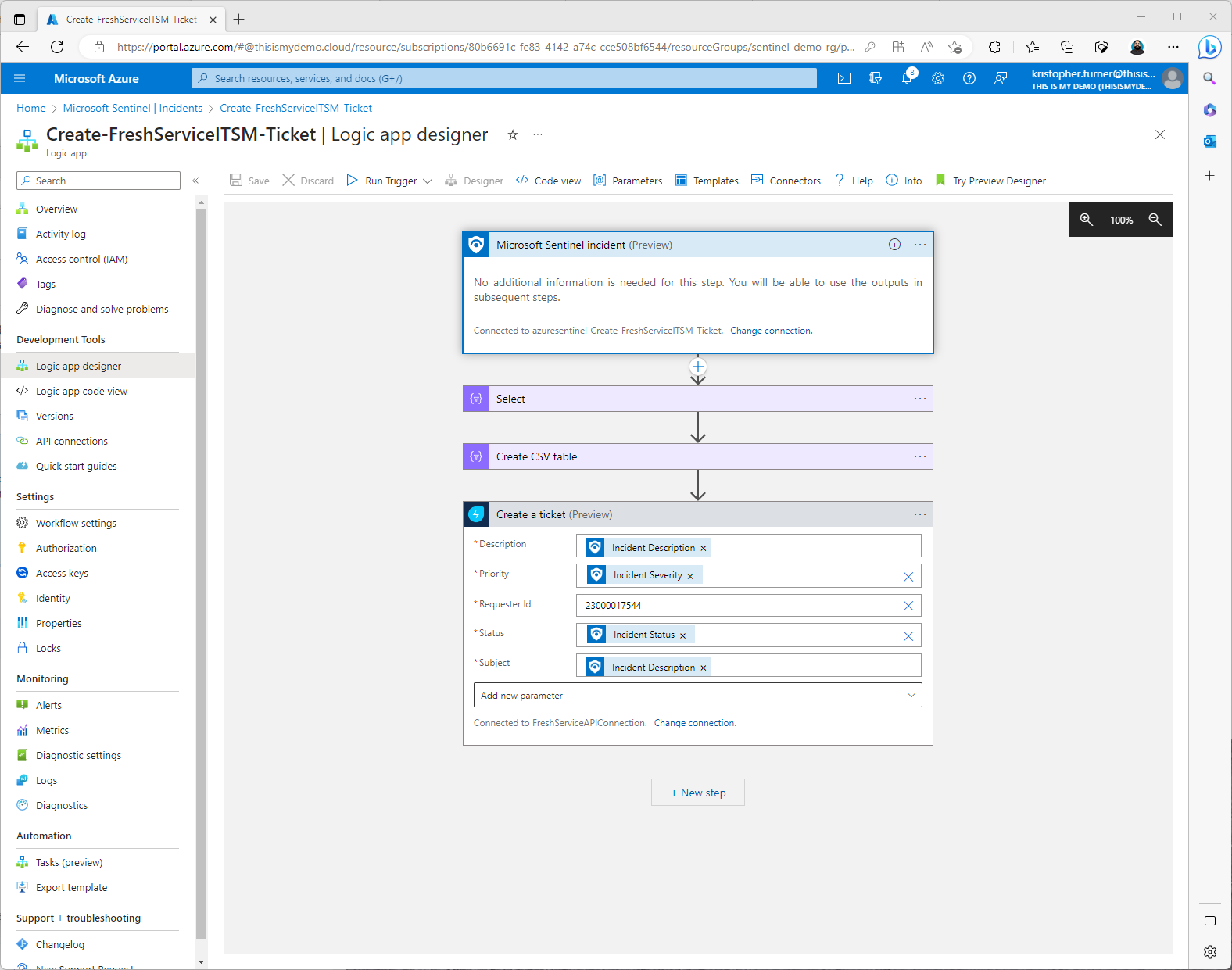
There are times even your customers can teach you something. Recently while onboarding Microsoft Sentinel for a customer I ran into one of those times. I had been asked by the customer to integrate Microsoft Sentinel with Freshservice. Fresh service is one of many cloud based ITSM that I have run along my fun career. I personally don’t know much about Freshservice out side of the fact that my customer used it and had a use case where they wanted Sentinel to open a ticket in their system. Just like with all or most of my blogs, I write these in hopes that others can find a solution they are looking for but also, as I get older I forget a lot more than I remember. This way I can search Bing once again in 6 months or a year and find my blog I wrote on this subject.

Deploying Microsoft Sentinel Content From A Repository - Introduction

Deploying Microsoft Sentinel Content From A Repository - Introduction

Digging deeper into my curiosity on how to deploy Sentinel using ADO or GitHub

So recently I have been dragged kicking and screaming into the security world. Well, not really dragged, if you know me I am a large guy and it would be more like fork lifting me kicking and screaming? Anyway, I actually love working with security products like Microsoft Sentinel, Defender for Cloud and the many other Defender for.. Products Microsoft offers, along with Identify solutions like Entra Permissions Management and more.

Dipping My Big Toe Into Cross-Tenant Synchronization Part I

Dipping My Big Toe Into Cross-Tenant Synchronization Part I

Part I - I have a very big Big Toe!!!

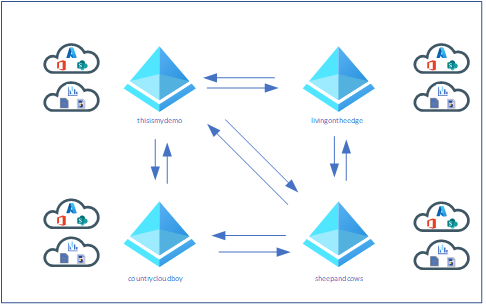
So, I am very interested in What cross-tenant synchronization is and what it could do for me and maybe for customers? Since I have a number of tenants I thought it would be good to at least try this preview feature and blog about my experience.

Also, this blog originally started out as a single blog but as I started to write it it grew and grew and grew. I wanted to refocus myself and break it up into smaller parts. The first part will focus on a single source to a single target topology. That is all explained below.

Applying The Final Firmware Update for the Azure Percept DK

Applying The Final Firmware Update for the Azure Percept DK

Trying to save my Azure Percept DK from becoming yet another Microsoft hardware in my rock draw.

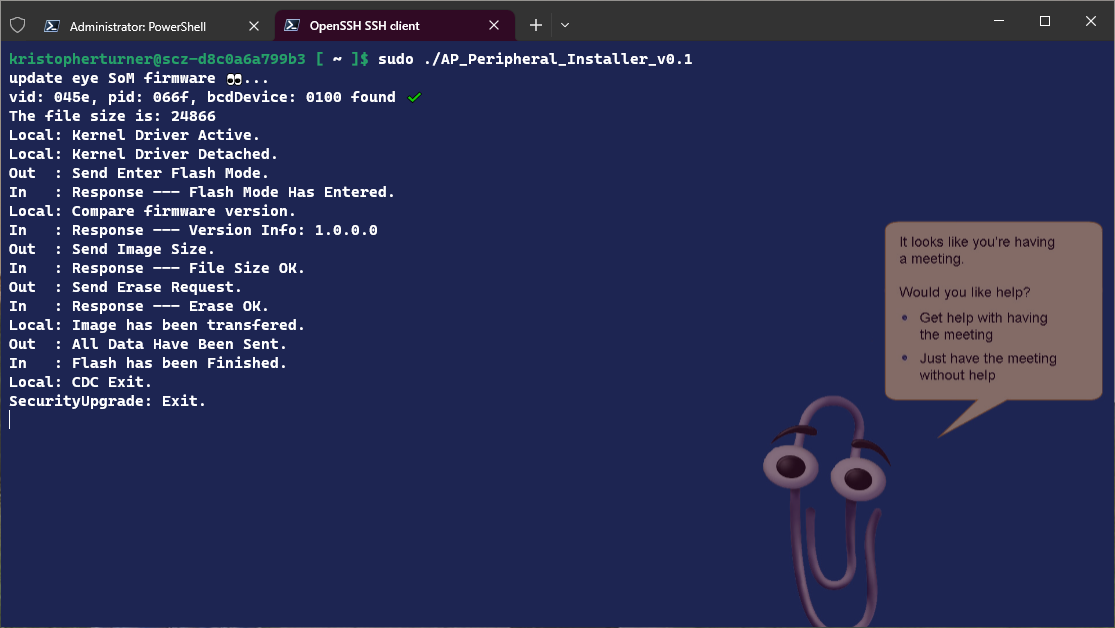
I guess this will be part II of another blog I wrote called What! My Azure Percept DK Devices Are Being Retired???. In that blog I mentioned how the Percept devices that were not cheap are now going into “retirement.” The only way to keep using them for other things is to install the last “Unsupported” firmware update before March 30th. This is my blog about how to install this update since you can no longer do OTA updates on existing devices at this time.

Getting my Vision AI DevKit Back Up And Running

Getting my Vision AI DevKit Back Up And Running

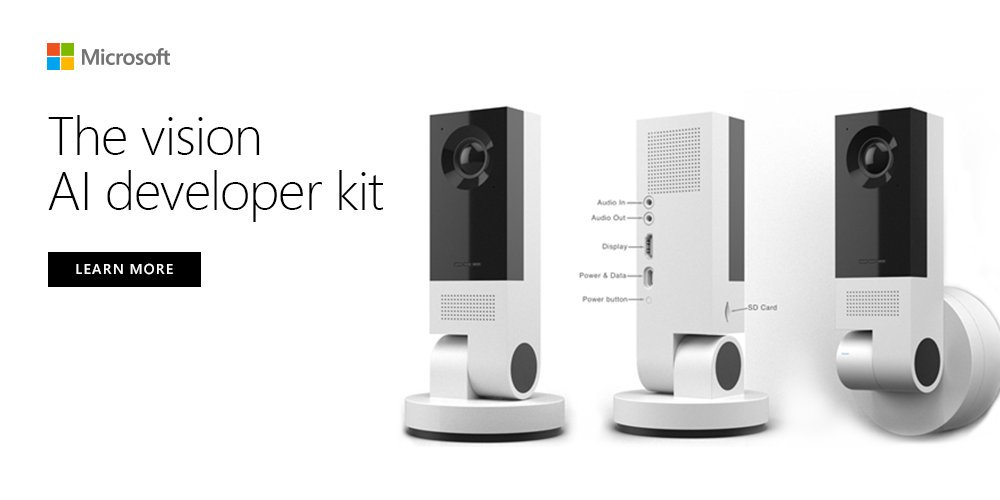
Since I failed terribly at getting my old Azure Sphere Development kit up and running as documented in previous blogs I decided to move on to my Vision AI DevKit. This has been a trusty workhorse for me in the past assisting with many demos. However, just like my other devices, I haven’t used this in a while, now I need to reset it and set it up again.

The process

The first thing I did was install the Android Debug Bridge (ADB). I used Chocolatey again to install this needed tool. The command is:

Is my Azure Sphere a rock now?

Is my Azure Sphere a rock now?

Yet another piece of Microsoft Hardware that is going into the rock draw

In a previous blog I wrote about having to recover my Azure Sphere Development Kit. So I decided to right one on what to do with it once I have recovered it. So this blog continues from My Azure Sphere Needs Reset?

However……….

According to Microsoft’s documentation on how to claim the device there is a call out:

Claiming a device is a one-time operation that you cannot undo even if the device is sold or transferred to another person or organization. A device can be claimed only once. Once claimed, the device is permanently associated with the Azure Sphere tenant.

What! My Azure Percept DK Devices Are Being Retired???

What! My Azure Percept DK Devices Are Being Retired???

So recently I started working on another IoT project which lead me to breaking out all my old development kits. I previously wrote a blog called My Azure Sphere Needs Reset where I walked through recovering an old Azure Sphere Development Kit I had. So I decided to write another few blogs following how I had to do the same with all my devices since I couldn’t really remember any of the configurations and some of these devices had been configured for long gone IoT Hubs and tenants that don’t exist anymore.

My Azure Sphere Needs Reset?

My Azure Sphere Needs Reset?

How do you recover an Azure Sphere Development kit?

So I needed to break out my Azure SPhere Development kit again that I haven’t touched in a very long time. Since then, the tenant my Azure Sphere was registered to has changed, and along with other things like my memory in my aging head, I couldn’t remember for the life of me how to access the kit.

So this blog is mainly for me so in 6 months when I need to use my Azure Sphere development kit again I will have a quick and easy reminder.

How To Grant Users Access To Entra Permissions Management Portal

How To Grant Users Access To Entra Permissions Management Portal

This is going to be one of those blogs that I write based off of things I didn’t know but learned in the heat of the moment.

I want to be able to have a normal user get on to the Entra Permissions Management portal to request the needed permissions they need. (This in itself is can be a blog and how to videos) So turned to Bing/Google/Chat GPT/My Dog… nothing. They all linked to how to manage users and groups within the Portal but only at an administrative level.