Azure Local

VMware vSphere to Azure Local: Operator Feature Mapping

VMware vSphere to Azure Local: Operator Feature Mapping

This blog is for admins and operators: a practical, side‑by‑side mapping from what you did in vSphere (vMotion, DRS, snapshots, SRM, NSX, vCenter) to what you’ll use in Azure Local (Live Migration, Failover Clustering, checkpoints, ASR/Hyper‑V Replica, WAC/Azure Portal).

From VMware vSphere to Azure Local: What Changes and Where to Click

The industry shift away from VMware has accelerated dramatically. Organizations worldwide are evaluating alternatives, driven by licensing changes, acquisition uncertainty, and evolving business needs. For many enterprises, this transition represents both a significant operational challenge and a strategic opportunity to modernize their virtualization infrastructure.

This blog addresses the practical reality facing infrastructure teams: when organizational decisions mandate a platform change, success depends on understanding exactly how daily operations translate to the new environment. Rather than debating platform merits, this analysis provides the detailed operational mapping that VMware administrators need to maintain service levels during transition.
Beyond the Cloud: Hardware Considerations - Part III

Beyond the Cloud: Hardware Considerations - Part III

Your VMware exit hardware strategy determines both timeline and budget. Windows Server offers maximum flexibility with existing infrastructure, Azure Local requires validated nodes costing $200K-500K+, and VMware VCF 9.0 deprecates older hardware anyway. This analysis provides a framework for making hardware decisions that fit your organization's timeline and budget constraints.

(Note: AVS – Azure VMware Solution – is not covered in detail here since it’s essentially outsourcing VMware onto Azure’s hardware. That involves a different calculus: you avoid buying hardware entirely, but you pay cloud rental fees and must fit into Azure’s instance constraints. In this post, we focus on on-premises alternatives where you control the hardware.)

Hardware Considerations: Build Your Cloud on Your Terms

Series Recap: In Part 1 of this series, we examined the total cost of ownership (TCO) implications of different post-VMware paths, comparing capital expenditure vs. subscription models across on-premises Hyper-V, Azure Local (formerly Azure Stack HCI), and Azure VMware Solution (AVS). In Part 2, we dove into licensing – analyzing how VMware vSphere licensing stacks up against Microsoft’s offerings (Windows Server and Azure Local) in 2025, and what those licensing differences mean for choosing a virtualization platform. These earlier posts highlighted that organizations leaving VMware have viable Microsoft-based alternatives that can reduce costs and simplify licensing. Now, in Part 3, we turn to the infrastructure question: What are your hardware options when “rethinking virtualization” away from VMware? Can you reuse your existing servers and storage, or are you forced into buying new, validated hardware nodes? How do Microsoft’s two on-premises solutions – Windows Server Hyper-V with Failover Clustering (WSFC) and Azure Local – compare in terms of hardware requirements? We’ll explore scenarios for customers looking to leave VMware, whether they’re not ready for a hardware refresh or planning a refresh alongside the migration, and we’ll also briefly touch on upcoming VMware Cloud Foundation 9.0 hardware needs.

Beyond the Cloud: 2025 Virtualization Licensing Guide - Part II

Beyond the Cloud: 2025 Virtualization Licensing Guide - Part II

Virtualization licensing just got complicated. With VMware's Broadcom acquisition driving 3x cost increases and Microsoft introducing new subscription models, IT leaders need a clear roadmap. This blog provides the analysis and insights you need to make informed decisions that align with your budget and strategy.

Welcome to Part 2 of our “Beyond the Cloud: The Case for On-Premises Virtualization” series. In our introductory post, we explored why organizations are reconsidering their virtualization strategies post-VMware acquisition. In Part 1, we conducted a detailed five-year Total Cost of Ownership (TCO) analysis comparing Windows Hyper-V, Azure VMware Solution (AVS), and Azure Local, revealing how different cost structures impact long-term budgets.

A key factor driving those cost differences was how each platform’s licensing model works. In this follow-up, we will demystify the various licensing models – per core, per socket, and per subscription – and compare how Windows Server 2025 (which reached General Availability in November 2024), Azure Local (formerly “Azure Stack HCI”), and VMware (both on-premises and via Azure VMware Solution) handle licensing. Our goal is to highlight not just the pricing structures, but also where hidden costs can lurk beyond the base license. The tone remains practical and evaluative: this isn’t about picking winners as much as helping IT directors and solution architects understand the financial and operational implications of each model.

Beyond the Cloud: CapEx vs Subscription TCO Analysis - Part I

Beyond the Cloud: CapEx vs Subscription TCO Analysis - Part I

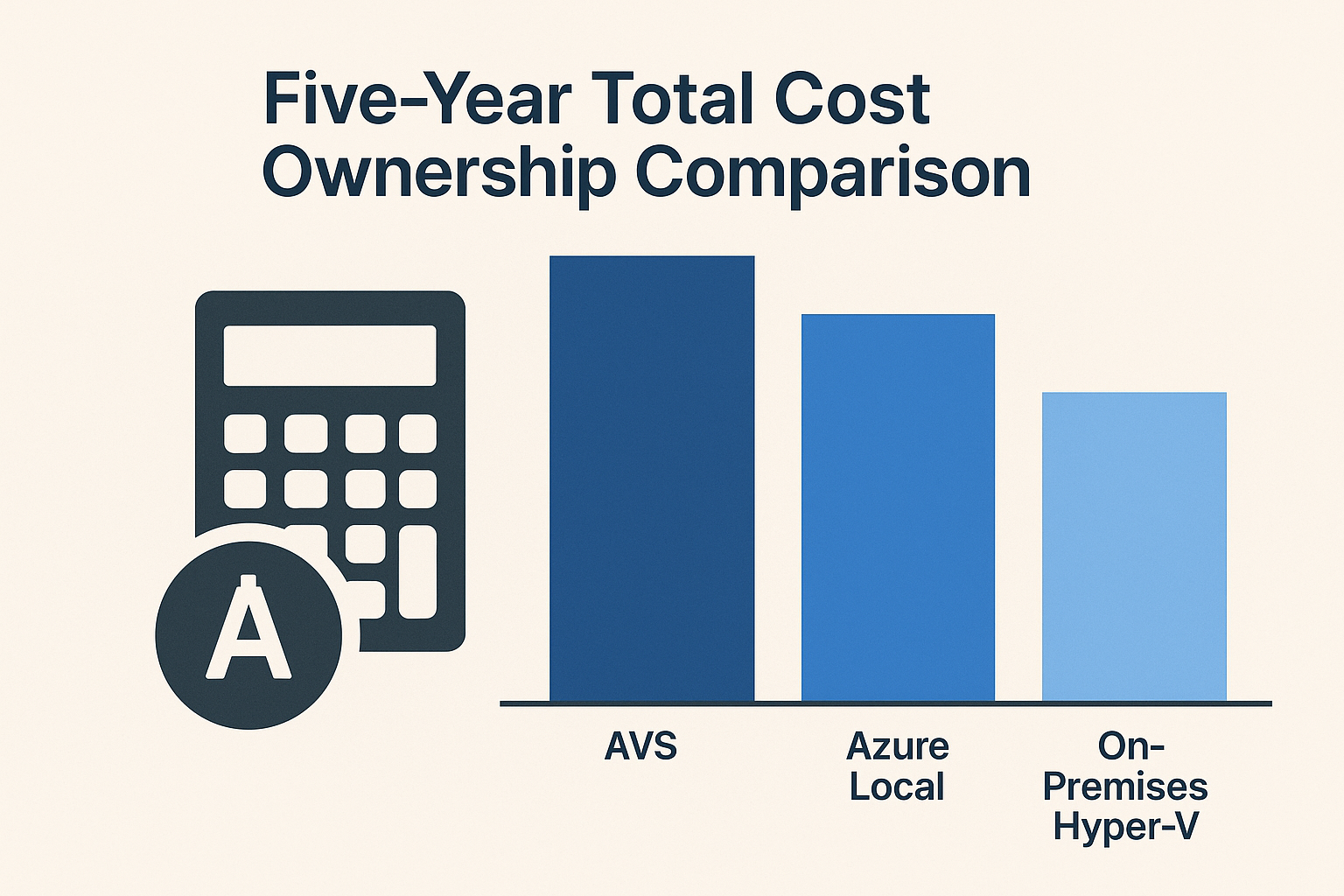
Which stack is cheapest over five years for a 100 VM footprint? A detailed TCO analysis of Hyper-V, Azure VMware Solution, and Azure Local.

Introduction

In our previous blog post, we explored why organizations are reconsidering their virtualization strategy post-VMware and highlighted the often-overlooked value of Windows Server Failover Clustering with Hyper-V. Now, in this first follow-up post of the "Beyond the Cloud: The Case for On-Premises Virtualization" series, we dive into the financial side of that decision. Specifically, we will compare the five-year Total Cost of Ownership (TCO) for three possible platforms to run a 100-Virtual Machine (VM) workload:

Beyond the Cloud: Rethinking Virtualization Post-VMware

Beyond the Cloud: Rethinking Virtualization Post-VMware

How Hyper-V with Windows Server Clustering Stays Relevant in an Azure-First World

From My Perspective as a Microsoft Azure Hybrid MVP – Two Decades in Microsoft Hybrid & HCI

I write this blog as a longtime Microsoft advocate with two decades of hands-on experience—from early Hyper-V in 2008 to today’s Azure Local. This series aims to highlight the potential of Windows Server Failover Clustering (WSFC) as a viable alternative for organizations transitioning away from VMware, especially in light of Broadcom’s acquisition. While I value Azure’s Cloud and Hybrid offerings, I believe Microsoft’s current messaging overlooks WSFC’s capabilities in providing cost-effective, high-availability solutions. Through this blog, I intend to shed light on WSFC’s strengths and advocate for its consideration in modern IT infrastructures.

Choosing A Windows Clustering Strategy in 2025

Choosing A Windows Clustering Strategy in 2025

Azure Local vs. Traditional SAN Clustering vs. Storage Spaces Direct

Introduction

In modern Windows infrastructure, there are multiple strategies for building highly available clusters. This content, originally published as a blog, was adapted into a presentation for a session at MMS MOA 2025, To Windows Server or Not: The Clustering Question, where the PowerPoint version is available. The session compares three key solutions side-by-side: Azure Local (Azure Stack HCI), Windows Server Failover Clustering with External Storage (traditional 3-tier architecture using SAN/NAS), and Windows Server Failover Clustering with Storage Spaces Direct (S2D). We explore the technical architecture of each, their pros and cons, and strategic considerations. Key factors like cost, scalability, performance, hardware needs, manageability, cloud integration, licensing, and best-fit use cases are analyzed with comparison tables for clarity. A dedicated section on demo scenarios is included to showcase strengths and differences in a lab environment. Finally, we provide a decision framework to guide choosing the right approach based on an organization’s needs.