
PowerShell

Azure Stack HCI - Part III - Advanced Deployment of A Single Node Cluster

Azure Stack HCI - Part III - Advanced Deployment of A Single Node Cluster

This is a series of blogs about my experiences with Azure Stack HCI

In this blog series I plan to blog about everything I know about Azure Stack HCI. So, it should be a very short blog series. Just kidding. Again, I tend to blog about subjects that I am currently working on or will be currently working on. So, Azure Stack HCI is fresh on my mind again these days.

I had planned to have a Part III that would have focused on scaling out a single node cluster. However, as I was writing that blog and going back to Part II, Azure Stack HCI - Part II - Deploying A Single Node Cluster I found myself wanting to add to that blog. There where things that I didn’t cover I felt would be important. So instead of deleting that blog, because it did do a decent job at a high level overview, I am going to keep that blog and write another one that goes more in-depth. Which is the birth of this blog, Part III - Advance Deployment of A Single Node Cluster.
Azure Stack HCI - Part II - Deploying A Single Node Cluster

Azure Stack HCI - Part II - Deploying A Single Node Cluster

This is a series of blogs about my experiences with Azure Stack HCI

In this blog series I plan to blog about everything I know about Azure Stack HCI. So, it should be a very short blog series. Just kidding. Again, I tend to blog about subjects that I am currently working on or will be currently working on. So, Azure Stack HCI is fresh on my mind again these days.

Note: After reading this blog a few times myself I have decided to write another blog but adding more details around areas I did not bring up in this current blog. More details into how to get hardware setup for a single node with either physical hardware or even an Azure VM. More information on how to configure storage and more. I figure the more advanced one would be better to follow when moving into scaling out the single node cluster to two or more nodes in my future blogs.

My Intune Proactive Remediation Scripts

I have been working with Intune Proactive Remediation scripts I wanted to share a few that I am working on.If you want to know more about Intune Proactive Remediation you can check on past blogs of mine.

Using Intune’s Proactive Remediation Script Packages to configure clients to retrieve Kerberos tickets for Azure Files.

Intune Proactive Remediation - Check if KB5007253 is installed.

The following scripts are currently in my GitHub repo called ProactiveRemediations.

Using Intune's Proactive Remediation Script Packages to configure clients to retrieve Kerberos tickets for Azure Files.

Using Intune's Proactive Remediation Script Packages to configure clients to retrieve Kerberos tickets for Azure Files.

Intune and Azure FIles

In order to map an Azure File share with Azure AD Kerberos authentication for hybrid user accounts enabled you need to make sure that you configure the clients to retrieve Kerberos tickets.

There are three methods that can accomplish this on your client computers.

  1. Configure an Intune Policy and apply it to the clients.
  2. Configure Group Policy on the clients
  3. Apply a registry value on the client.

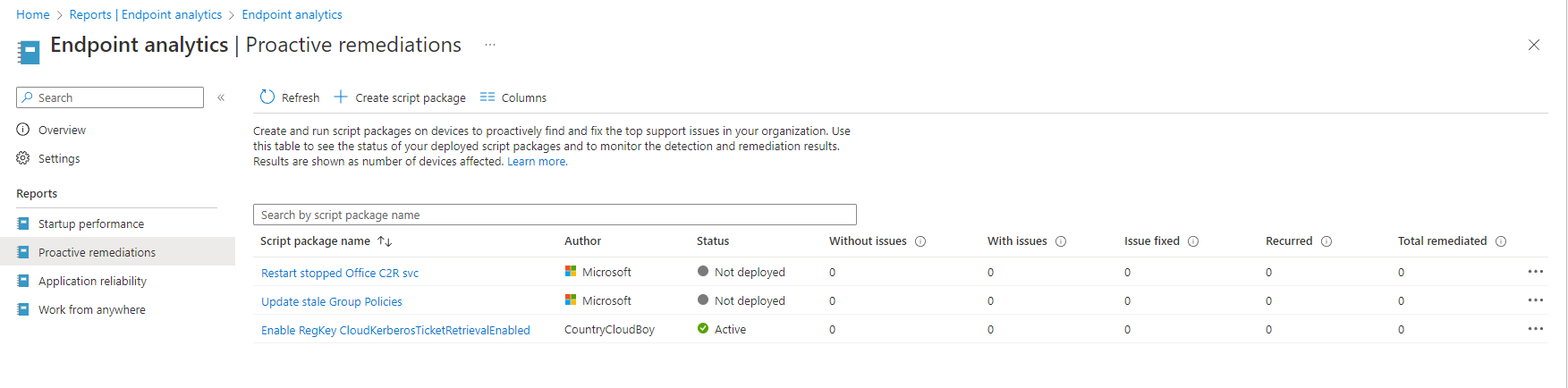
I am going to use the registry method, but I will also be using Microsoft’s Intune Proactive remediation. Proactive remediation is part of Endpoint Analytics. The devices must be enrolled into Endpoint analytics in order for this to work.