VMware

What Was Under Your Nose All Along

What Was Under Your Nose All Along

Why Hyper-V Often Fits Better Than VCF 9 or Azure Local

The series started with a simple question: if so many organizations are unhappy with the VMware commercial path they are on, where should they go next?

After twenty posts, the answer is clearer than ever.

For a lot of organizations, the right answer is not “stay where you are and absorb the bill.” It is also not automatically “move to Azure Local because it is Microsoft’s newest answer.” The right answer is often the platform that has been in the rack, in the OS, and in the skill set for years: Hyper-V on Windows Server 2025.
Migrating VMs from VMware to Hyper-V

Migrating VMs from VMware to Hyper-V

VM Conversion Tools and Migration Procedures

You’ve built the case, validated the hardware, configured the hosts, and connected the storage. Now comes the part everyone’s been waiting for (and dreading): actually moving the virtual machines.

VM migration from VMware to Hyper-V is not a single-click operation. Disk formats differ (VMDK vs. VHDX). Virtual hardware differs (VMware paravirtual drivers vs. Hyper-V synthetic drivers). Guest integration tools differ (VMware Tools vs. Hyper-V Integration Services). But the tooling has improved dramatically, and in 2026, you have more options than ever, including a free, Microsoft-supported tool that performs online migration with minimal downtime.

Reusing Your Existing VMware Hosts

Reusing Your Existing VMware Hosts

Hardware Compatibility and Repurposing Strategy

The servers sitting in your datacenter right now, the Dell PowerEdges, the HPE ProLiants, and the Lenovo ThinkSystems, were designed to run hypervisors, not a specific hypervisor. Any hypervisor.

This might seem obvious, but it’s worth stating clearly: enterprise server hardware is hypervisor-agnostic. The same CPUs, memory, storage controllers, and network adapters that run ESXi today will run Hyper-V tomorrow. You’re not abandoning hardware investments when you change virtualization platforms; you’re simply loading different software.

The Myth of 'Old Tech'

The Myth of 'Old Tech'

Is Hyper-V Dead????

“Hyper-V? That’s legacy tech. It can’t compete with VMware. ‘Hyper-V is dead,’ isn’t it?”

I’ve heard this sentiment more times than I can count. In hallway conversations at conferences, in architecture review meetings, in vendor comparison spreadsheets filled with red X marks in the Hyper-V column. For years, this perception has been the default position, sometimes justified, often not.

In this third post of the Hyper-V Renaissance series, we’re going to dismantle this myth systematically. Not with marketing claims, but with verified specifications, feature-by-feature comparisons, and honest assessments of where Hyper-V excels and where it still trails.

The Real Cost of Virtualization

The Real Cost of Virtualization

TCO Comparison - VMware, Azure Local, and Hyper-V

The invoice arrived, and the meeting quickly followed.

For nearly two decades, the “cost of virtualization” was a line item we grumbled about but accepted. It was the “VMware Tax,” the price of admission for a stable, feature-rich datacenter. But in the wake of the Broadcom acquisition and the subsequent licensing overhaul, that tax has, for many organizations, turned into a ransom.

This isn’t just about price hikes. It’s about a fundamental shift in how infrastructure is consumed. We are forcibly moving from a world of perpetual licenses and optional support to a world of mandatory subscriptions and bundled software stacks.

Welcome to the Hyper-V Renaissance

Welcome to the Hyper-V Renaissance

Why It's Time to Reevaluate Microsoft's On-Prem Champion

Introduction

A Perfect Storm Creates Opportunity

If you’ve been watching the virtualization market over the past eighteen months, you’ve witnessed something extraordinary: a once-stable industry thrown into chaos by a single acquisition. When Broadcom completed its $69 billion purchase of VMware in November 2023, few anticipated how dramatically, and rapidly, the landscape would shift. What followed wasn’t just a pricing adjustment; it was a fundamental restructuring that has sent shockwaves through data centers worldwide.

Beyond the Cloud: Feature Face-Off - Part IV

Beyond the Cloud: Feature Face-Off - Part IV

Broadcom's VMware acquisition changed the game—not just pricing, but the entire virtualization landscape. This deep-dive comparison reveals that Windows Server 2025 delivers 90% of VMware's capabilities at 30% of the cost—but the devil is in the remaining 10%.

The Enterprise Reality Check

As we’ve established in previous posts, the post-Broadcom VMware landscape has fundamentally shifted the conversation around enterprise virtualization. No longer can organizations simply renew their vSphere licenses and move on—pricing has increased dramatically, licensing models have changed, and many customers are being pushed toward VMware Cloud Foundation whether they need all its components or not.

But beyond cost considerations lies a critical question: Does Windows Server Failover Clustering with Hyper-V actually deliver the enterprise features that keep VMware entrenched in so many data centers?

Beyond the Cloud: CapEx vs Subscription TCO Analysis - Part I

Beyond the Cloud: CapEx vs Subscription TCO Analysis - Part I

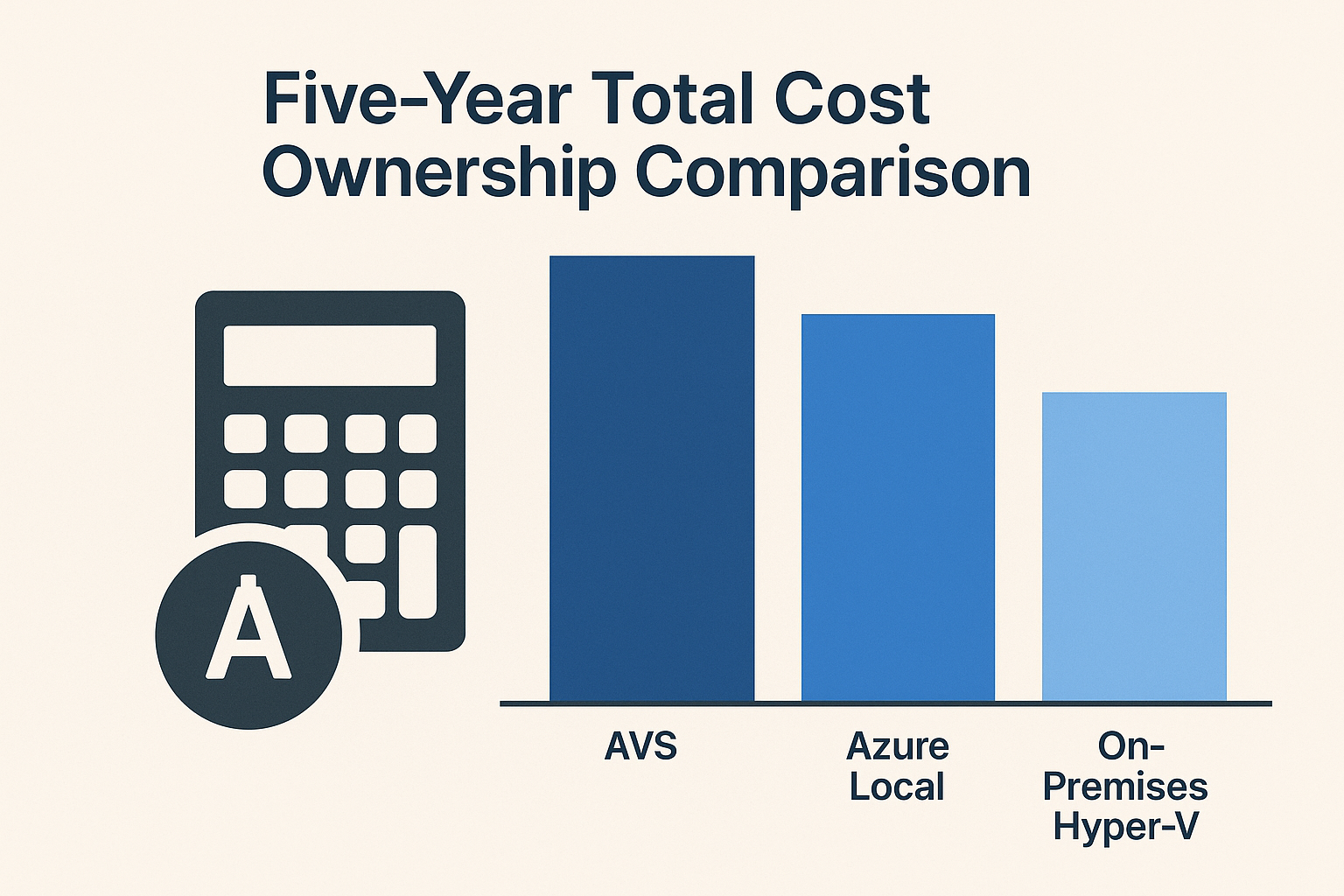
Which stack is cheapest over five years for a 100 VM footprint? A detailed TCO analysis of Hyper-V, Azure VMware Solution, and Azure Local.

Introduction

In our previous blog post, we explored why organizations are reconsidering their virtualization strategy post-VMware and highlighted the often-overlooked value of Windows Server Failover Clustering with Hyper-V. Now, in this first follow-up post of the "Beyond the Cloud: The Case for On-Premises Virtualization" series, we dive into the financial side of that decision. Specifically, we will compare the five-year Total Cost of Ownership (TCO) for three possible platforms to run a 100-Virtual Machine (VM) workload:

Powerful, Practical, Proven: Why WSFC and Hyper‑V Deserve a Second Look

Powerful, Practical, Proven: Why WSFC and Hyper‑V Deserve a Second Look

Virtualization is a cornerstone of modern IT infrastructure, and while VMware vSphere has long been a leader, Microsoft's Windows Server Failover Clustering with Hyper-V offers a compelling alternative for organizations seeking cost-effective, high-performance virtualization.

Why Choose Windows Server Failover Clustering (WSFC) with Hyper‑V Over VMware

Virtualization is a cornerstone of modern IT infrastructure, and VMware vSphere has long been a leader in this space. However, Microsoft’s Windows Server Failover Clustering (WSFC) with Hyper‑V offers a compelling alternative for organizations seeking a cost-effective, high-performance virtualization platform. In this post, targeted at IT professionals, we’ll explore why WSFC with Hyper‑V is a strong alternative to VMware – emphasizing the ability to leverage existing hardware (reducing new hardware costs), the performance benefits of Hyper‑V, available management tools, feature comparisons with VMware, and a look at licensing and cost differences.

Beyond the Cloud: Rethinking Virtualization Post-VMware

Beyond the Cloud: Rethinking Virtualization Post-VMware

How Hyper-V with Windows Server Clustering Stays Relevant in an Azure-First World

From My Perspective as a Microsoft Azure Hybrid MVP – Two Decades in Microsoft Hybrid & HCI

I write this blog as a longtime Microsoft advocate with two decades of hands-on experience—from early Hyper-V in 2008 to today’s Azure Local. This series aims to highlight the potential of Windows Server Failover Clustering (WSFC) as a viable alternative for organizations transitioning away from VMware, especially in light of Broadcom’s acquisition. While I value Azure’s Cloud and Hybrid offerings, I believe Microsoft’s current messaging overlooks WSFC’s capabilities in providing cost-effective, high-availability solutions. Through this blog, I intend to shed light on WSFC’s strengths and advocate for its consideration in modern IT infrastructures.